

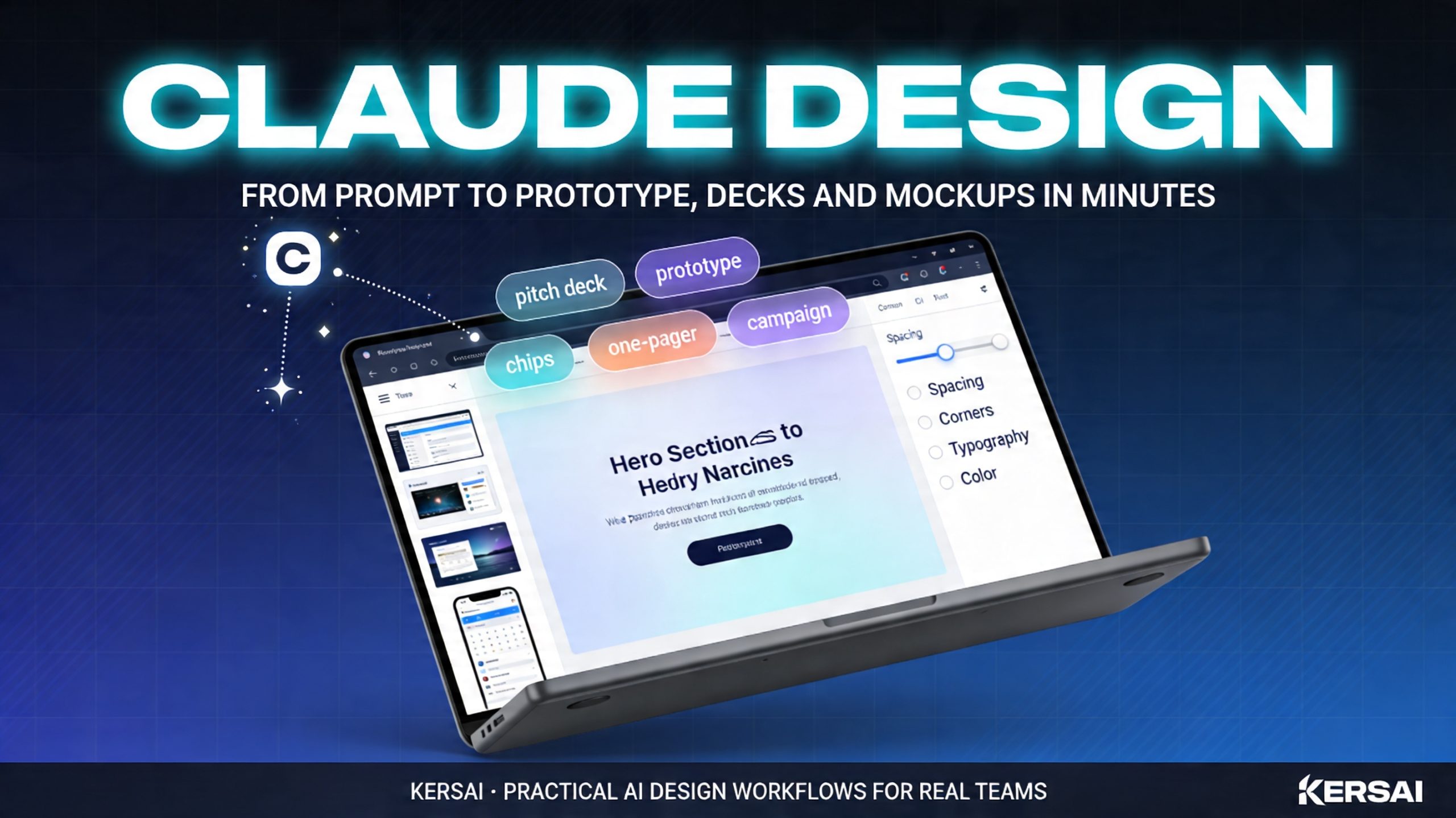
Claude Design: The 2026 Complete Guide to Anthropic’s New AI Design Tool
Anthropic Just Launched Claude Design an AI Tool That Turns Prompts, Docs and Codebases Into On‑Brand Prototypes, Decks and Mockups, Powered by Claude Opus 4.7. Here’s What It Actually Does and How Teams Can Use It Today.
Published: April 21, 2026 | By the Kersai Research Team | Reading Time: ~22 minutes
Last Updated: April 21, 2026
In one sentence: Claude Design is Anthropic’s new AI design product that turns natural‑language prompts, documents and existing brand assets into polished visual work prototypes, pitch decks, one‑pagers, slides and marketing visuals and lets you refine them via conversation, inline comments, direct edits and custom sliders, all powered by the latest Claude Opus 4.7 vision model.
On April 17, 2026, Anthropic Labs quietly flipped the switch on Claude Design a new visual tool built on top of Claude Opus 4.7 and offered as a research preview to Claude Pro, Max, Team and Enterprise customers at claude.ai/design.
Within days it was trending across design Twitter/X and product circles. Tech outlets compared it to Canva and Figma, Figma’s stock dipped, and early users started posting examples of full pitch decks and product prototypes generated from a few lines of text.
This guide explains what Claude Design actually is, how it works, who it is for, and most importantly seven concrete workflows a company can start using immediately.
1. What Is Claude Design?
Claude Design is a browser‑based tool from Anthropic Labs that lets you collaborate with Claude to create visual artifacts such as:
- Product and UI prototypes
- Slide decks and pitch presentations
- One‑pagers and internal memos with strong visual structure
- Marketing creatives and social media assets
- Wireframes and design explorations for new features
You describe what you need in natural language; Claude creates a first version; you then refine it by:
- Commenting on specific elements
- Editing text directly
- Using sliders and toggles to adjust layout, spacing, colours and typography
It is powered by Claude Opus 4.7, Anthropic’s most capable generally available model and its first high‑resolution vision model, which supports a 1M‑token context window and can see images at up to 3.75 megapixels.
Claude Design is not just an “image generator”. It produces structured designs you can export as:
- PDF files
- PPTX slide decks
- Shareable URLs
- Standalone HTML prototypes
- Fully editable Canva designs via a direct hand‑off integration
It sits alongside Claude’s chat interface and Claude Code as part of Anthropic’s broader product lineup for knowledge work, software development and now visual work.
2. How Claude Design Actually Works
Claude Design follows a simple but powerful flow:
- Onboard your brand and design system
- You point Claude Design at your design files and codebase, or upload key documents and style guides.
- Claude reads your colours, typography, components and design tokens and builds a design system for your team.
- You can maintain more than one system (for example, main brand vs experimental sub‑brand), and refine it over time.
- Start from any input
You can start a project in several ways:
- A text prompt (“Design a product launch landing page for our new AI feature aimed at mid‑market CTOs”)
- Uploads such as DOCX, PPTX, XLSX or images
- Pointing Claude to your codebase for product UIs and design tokens
- Using a web capture tool to grab sections of your existing website so new designs look like the real product.
- Get a first version in seconds
Claude Design generates an initial design that:
- Uses your brand colours and typography
- Applies your components consistently (buttons, cards, nav, etc.)
- Respects basic UX and layout conventions for the artifact type (pitch deck vs landing page vs dashboard)
- Refine through conversation and controls
You then refine the design with a combination of:
- Inline comments on specific elements (“Make this section dark mode”, “Move this chart to the right”)
- Direct edits to text and labels
- Custom sliders and toggles that Claude creates on the fly to expose variables such as spacing, border radius, font sizes, and colour intensity.
You can ask Claude to apply changes across the entire design (“Use this header style everywhere”, “Increase white space across all slides”).
- Export or hand off
When you’re happy, you can export to:
- PDF for quick sharing
- PPTX for editing in PowerPoint or Google Slides
- URLs or standalone HTML prototypes for interactive review
- Canva, where the design becomes fully editable and collaborative
- Downstream tools like Figma or Claude Code via integrations, for detailed design or implementation work
3. What Makes Claude Design Different from Canva, Figma and Adobe?
Claude Design does not try to replace full‑featured design tools like Canva, Figma or Adobe. Instead, it focuses on a specific gap: the messy space between a verbal idea and a first visual draft.
Key differences
- Idea‑to‑first‑draft, not pixel‑perfect editing
Claude Design shines at taking a rough concept and turning it into a structured prototype, deck or page quickly. Deep pixel‑level refinement still lives in tools like Figma, Canva or Adobe XD. - Brand system built‑in from the start
During onboarding, Claude reads your codebase and design files to build a design system. Every project afterwards automatically uses your colours, typography and components. - Conversational refinement with structural awareness
Unlike simple image generators, Claude understands layout and hierarchy. You can say things like “Make the hero section more minimal” or “Turn this into a two‑column layout with the form on the right”, and it will adjust the structure, not just colours. - Tight hand‑off to existing tools
Exports to Canva, PPTX, HTML, and connections to Figma and Claude Code mean you can start in Claude Design and finish in your normal stack.
In short: Canva and Figma are where designs are perfected. Claude Design is where they are born.
4. Who Claude Design Is Really For
Anthropic describes Claude Design as a tool for “founders and product managers without a design background,” but early usage shows a broader pattern.
4.1 Founders and product leaders
Use cases:
- Investor and board pitch decks
- Product vision narratives with visuals
- “Future state” screenshots for roadmap reviews
- Mockups for features you want to align the team around
Claude Design makes it possible to go from “we should have a deck for this” to a usable first draft in under an hour.
4.2 Product designers
Designers use Claude Design not to replace their Figma work, but to:
- Explore wide variations quickly (10 ways to layout this screen).
- Turn rough text descriptions from stakeholders into visual starting points.
- Generate realistic prototypes they can then refine in Figma using tools like Anima’s Claude‑to‑Figma agent.
4.3 Marketers and growth teams
Marketing and growth teams use it to:
- Produce campaign concepts (landing pages, ad sets, social assets) for review.
- Turn copy drafts into full layout suggestions.
- Quickly produce “version 0” visuals for A/B tests before designers polish them.
4.4 Engineers and design‑adjacent roles
Engineers and technical PMs use Claude Design to:
- Visualise APIs and workflows as diagrams and UI sketches.
- Quickly draft admin consoles and internal tools before committing to implementation.
- Generate prototypes that can be handed off directly to Claude Code for implementation.
5. Seven Claude Design Workflows Your Team Can Use This Week
The best way to understand Claude Design is to see how it fits into real workflows. Here are seven that teams can implement almost immediately.
Workflow 1: Idea → Investor Pitch Deck
Who it’s for: Founders, CEOs, CFOs, product leaders.
- Drop your existing one‑pager, KPI sheet or rough notes into Claude Design.
- Ask Claude to “turn this into a 12‑slide investor deck” with the key sections you want.
- Refine slide by slide via comments (“Make this chart tell a clearer before/after story”, “Add a competitor comparison slide”).
- Export as PPTX for final tweaks and speaker notes.
Result: a draft deck in hours instead of days, already on‑brand and structurally coherent.
Workflow 2: User Story → Product Prototype
Who it’s for: Product managers, UX designers, engineering leads.
- Paste user stories, acceptance criteria or PRDs into Claude Design.
- Prompt: “Design a web app flow that satisfies these requirements, with a three‑step onboarding and a usage dashboard.”
- Use comments to adjust navigation, information hierarchy and key interactions.
- Export to HTML or Figma (via an intermediate agent) for user testing and usability reviews.
Result: a realistic prototype that stakeholders can click through long before engineering starts.
Workflow 3: Copy Draft → Campaign Kit
Who it’s for: Marketing, growth and content teams.
- Paste campaign messaging, headlines and key benefits into Claude Design.
- Ask for a campaign kit: landing page sections, main hero visual concept, ad concepts, email header, social tiles.
- Iterate on messaging and visuals in one place, using inline comments and sliders.
- Export social assets to Canva and send the landing layout to your web team.
Result: a full set of creative directions aligned to one message, ready for refinement and production.
Workflow 4: Research Notes → Visual One‑Pager
Who it’s for: Strategy, consulting, internal comms.
- Upload a dense research document or meeting transcript.
- Ask Claude to design a visual one‑pager that captures the key points, with charts and call‑out boxes.
- Adjust structure (“Group these three points under one heading”, “Add a risk section at the bottom”).
- Export as PDF for executives, and PPTX if it needs to go into a larger deck.
Result: complex findings distilled into something people will actually read.
Workflow 5: Brand Audit → Design System Draft
Who it’s for: Brand and design system teams.
- Point Claude Design at your existing design files and live website.
- Ask it to extract a design system: colours, typography, spacing, components.
- Review and adjust naming and grouping.
- Use that system as the base for all future Claude Design projects.
Result: a living design system that Claude can apply consistently across prototypes, decks and screens.
Workflow 6: Claude Design → Figma for Production
Who it’s for: Product designers and front‑end engineers.
- Use Claude Design to generate rough screens or flows.
- Feed the resulting link into tools like the Anima Figma agent, which convert Claude Design output into Figma layers.
- Refine in Figma with full design control.
- Hand off from Figma to code using Claude Code and the ClaudeFigma plugin to map components to implementation.
Result: a smooth path from idea to Claude Design to Figma to code, with fewer hand‑offs and translation errors.
Workflow 7: Design → Claude Code Implementation
Who it’s for: Engineering teams.
- Start with a Claude Design prototype representing a feature.
- Use the ClaudeFigma plugin and Claude Code to:
- Extract layout, colour variables, and typography.
- Map design components to existing React or frontend components.
- Generate production‑ready code aligned to your design system.
Result: tighter design‑to‑development collaboration and fewer mismatches between comps and the live product.
6. How Claude Design Fits Into the Anthropic Stack
Claude Design is not a standalone experiment; it’s part of a broader move by Anthropic to cover the full workflow from idea to code:
- Claude Opus 4.7 provides the underlying intelligence and high‑resolution vision capability, enabling better layout understanding, chart reading, document redlining and image‑based tasks.
- Claude Design handles early‑stage visual work: prototypes, slides, decks, marketing visuals.
- Claude Code implements those designs in code, using integrations like the Figma plugin and design‑to‑code mapping.
- Anthropic Labs acts as a testbed for specialised products like Claude Design, co‑led by people with deep product experience (including Instagram co‑founder Mike Krieger).
For companies, the interesting part is not just Claude Design alone, but how it can:
- Shorten idea‑to‑prototype cycles.
- Keep prototypes consistent with the live product.
- Reduce friction between design, marketing and engineering.
7. Pricing, Access and Availability
As of April 2026:
- Claude Design is in research preview.
- It is available to Claude Pro, Max, Team and Enterprise subscribers.
- Usage counts against your existing Claude plan limits; there is no separate Claude Design subscription at this time.
- Access is being rolled out gradually; many users can reach it directly at
claude.ai/designonce enabled.
Enterprise teams can request broader rollout and deeper integration (for example, connecting Claude Design to private repos and internal design systems) through Anthropic’s enterprise channels.
8. Limitations and What Claude Design Cannot Do (Yet)
Despite the excitement, there are important limits to keep in mind:
- It is not a full replacement for Figma or Canva.
You will still need production‑grade design tools for final layouts, precise typography, accessibility checks and design QA. - It is not a general image generator.
Claude Design focuses on structured artifacts like slides, pages and prototypes. If you want pure art, illustrations or complex photo composites, dedicated image models are still better suited. - It is a research preview.
Features, reliability and export options may change quickly. Companies should treat it as a powerful pilot tool, not yet a sole production workhorse. - It depends on your inputs.
The quality of the design system Claude creates depends on the quality of the design files and codebase you give it. Poorly structured or inconsistent assets will produce weaker results.
Knowing these constraints allows teams to position Claude Design correctly: as a force multiplier, not a magic wand.
9. How Companies Can Pilot Claude Design in the Next 90 Days
Here is a concrete adoption plan organisations can follow.
Step 1: Pick one or two high‑leverage use cases
Good starting points:
- Pitch decks and internal strategy presentations.
- New feature concepts where visuals help align stakeholders.
- Marketing campaigns that need multiple asset types quickly.
Step 2: Prepare your design system inputs
- Gather up‑to‑date Figma files or design references.
- Ensure your brand colours and typography are documented.
- Give Claude Design access to a clean portion of your codebase where UI components live, if possible.
Step 3: Form a small cross‑functional pilot team
Include:
- One product or marketing owner.
- One designer (for review and refinement).
- One engineer (for hand‑off to implementation where relevant).
Step 4: Run 35 real projects end‑to‑end
For each project, track:
- Time from idea to first usable visual.
- Number of iterations required to reach review‑ready status.
- Designer and stakeholder satisfaction with the starting point.
- Any issues with exports and integration into existing tools.
Step 5: Decide where to formalise and where to wait
After the pilot, you can:
- Standardise Claude Design for specific workflows (e.g. initial pitch decks, early product concepts, research summaries).
- Create simple internal guidelines: when to use it, when not to, and how to hand off outputs.
- Plan deeper integration with tools like Figma, Canva and Claude Code over time.
10. FAQ
What is Claude Design?
Claude Design is Anthropic’s new AI‑powered design product that turns natural‑language prompts, documents and existing brand assets into visual artifacts like prototypes, pitch decks, one‑pagers, slides and marketing creatives. It is powered by the Claude Opus 4.7 model and available as a research preview to Claude Pro, Max, Team and Enterprise customers.
How is Claude Design different from Canva and Figma?
Claude Design focuses on idea‑to‑first‑draft work: turning rough concepts into structured, on‑brand designs quickly. Canva and Figma remain the tools where detailed pixel‑level work happens. Claude Design exports to Canva, PPTX, HTML and can be brought into Figma via integrations, so it is designed to complement existing tools rather than replace them.
Who should use Claude Design?
Claude Design is useful for founders, product managers, marketers, designers and engineers. Non‑designers can use it to get from an idea to a shareable visual much faster. Designers can use it to explore more variations and turn text‑based requirements into visual starting points. Engineers can use it to clarify UI flows before implementation.
How does Claude Design handle brand consistency?
During onboarding, Claude Design reads your design files and codebase to build a design system. It then applies that system colours, typography, components to every project it creates. You can maintain more than one design system and refine them over time as your brand evolves.
What can Claude Design export?
Claude Design can export to PDF, PPTX, shareable URLs, standalone HTML prototypes and editable designs in Canva. Through third‑party integrations and agents, designs can also be brought into Figma as real layers, and then handed off to Claude Code for implementation.
Is Claude Design available to everyone?
Claude Design is in research preview. It is available to Claude Pro, Max, Team and Enterprise subscribers and is being rolled out gradually. Usage counts against existing Claude plan limits; there is no separate public free tier for Claude Design at the time of writing.
11. How Kersai Can Help Your Company Use Claude Design and AI Effectively
Claude Design is a powerful new piece in the AI tooling puzzle but real value comes from how it connects to everything else you do: product strategy, design systems, engineering workflows, content, and internal knowledge.
Kersai works with companies globally to:
- Evaluate where tools like Claude Design genuinely fit in your product, marketing and internal workflows.
- Set up design system onboarding so Claude uses your brand correctly from day one.
- Integrate Claude Design with tools you already use Figma, Canva, internal design libraries and Claude Code.
- Build end‑to‑end workflows from idea to prototype to production code, using Anthropic models, open‑source models and your existing stack.
- Train your teams (product, design, engineering, marketing) on practical, safe ways to use AI that actually improve output quality and speed.
If you want to go beyond experiments and turn Claude Design and AI more broadly into a reliable part of how your organisation thinks, designs and ships, Kersai can help you design and implement that roadmap.
Visit kersa.com to start a conversation.