
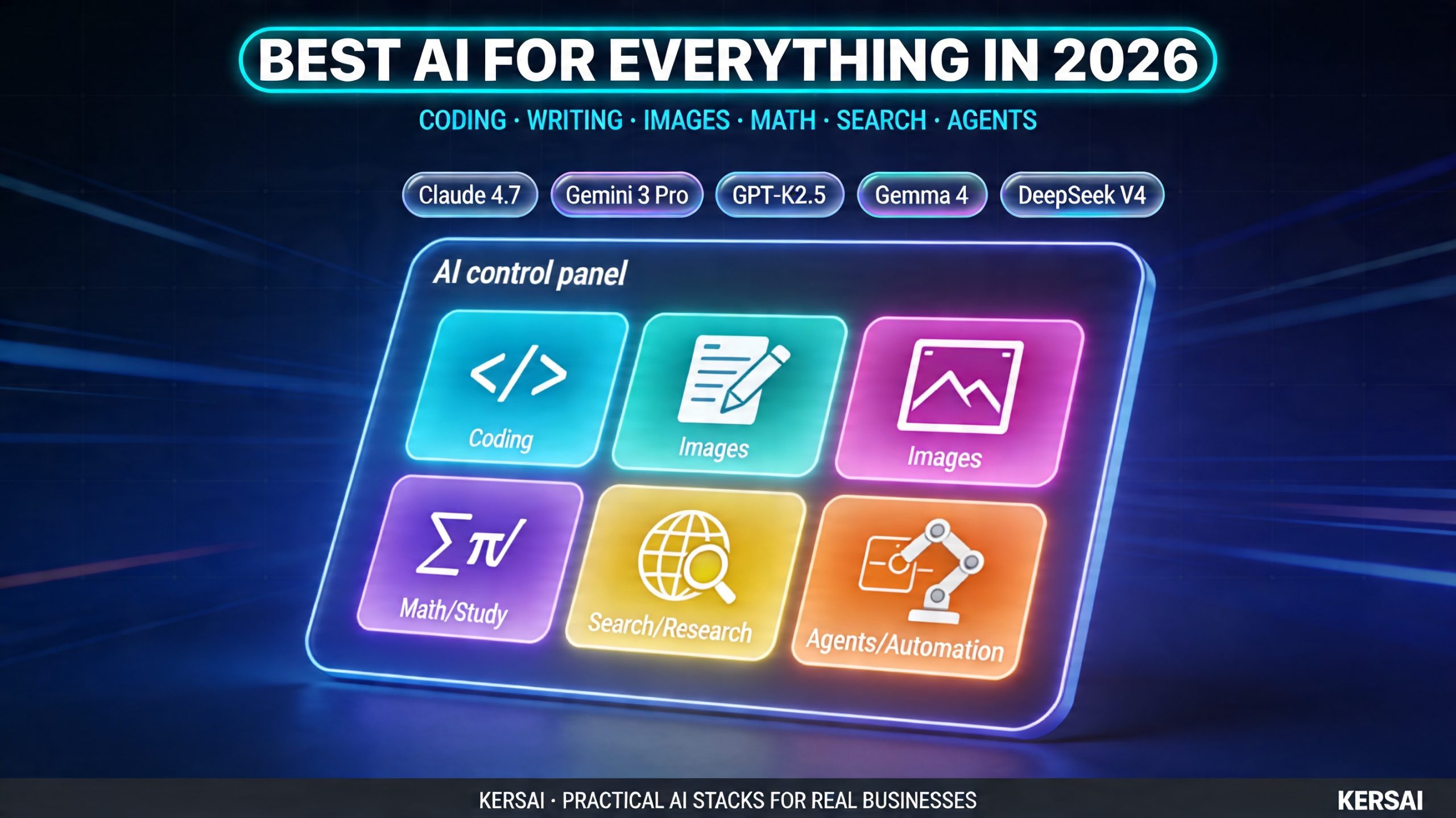
Best AI for Everything in 2026: Coding, Writing, Images, Math, Search and Agents
As of April 2026, These Are the Best AI Tools for Coding, Writing, Image Generation, Math, Search and Agents Including Claude Opus 4.7, Kimi K2.5, DeepSeek V4, Gemini 3 Pro, GPT‑5.4 and Gemma 4.
Published: April 21, 2026 | By the Kersai Research Team | Reading Time: ~26 minutes
Last Updated: April 21, 2026
Quick Summary: The “best AI” in 2026 depends entirely on the job you’re trying to do. For coding, the latest frontier models Claude Opus 4.7, Gemini 3 Pro, GPT‑5.4 and Kimi K2.5 all sit near the top of coding benchmarks, with Claude and Gemini leading for complex software work and long‑horizon agents, and Kimi shining on long‑context and open‑weight use. For writing and content, Claude Opus 4.7 and GPT‑5.4 are the most capable high‑end systems, while Claude Sonnet 4.6 and Gemini 3 Flash handle most day‑to‑day marketing and documentation. For images, Midjourney remains the artistic benchmark, the latest DALL‑E is best for casual use inside ChatGPT, open models like Stable Diffusion and Flux matter for control, and Ideogram is still the king of text‑in‑image. For math and study help, frontier models combined with free local models like Gemma 4 31B cover everything from school homework to Olympiad‑level problems. For search and research, people now use both AI tools (ChatGPT, Perplexity, Gemini, Kimi) and classic Google Search and AI‑referred traffic converts much better than ordinary search. This guide gives a plain‑language answer to a practical question: “Which AI should I actually use in 2026, for which job?”
1. How This Guide Is Structured
This guide is updated for late April 2026 and focuses on jobs, not hype:
- Best AI for coding.
- Best AI for writing and blogging.
- Best AI for image generation.
- Best AI for math and study help.
- Best AI for essays and homework support.
- Best AI for search and research.
- Best AI for agents and automation.
- Best free models to run locally.
For each, you’ll see:
- A short “quick verdict”.
- A few sentences explaining why.
- A table or bullet list answering “who this is really best for”.
Everything is based on a mix of:
- Independent benchmarks (SWE‑bench, LiveCodeBench, MMLU‑style tests).
- Public model cards and documentation.
- Tool‑level reviews from developers and practitioners.
- Real usage patterns we see across teams Kersai works with.
2. Best AI for Coding in April 2026
Quick verdict
- Best all‑round coding model for serious software work:
Claude Opus 4.7 - Best price/performance coding model in the cloud:
Gemini 3 Pro - Best high‑speed coding model for terminals and scripts:
GPT‑5.4 (coding variants) - Best long‑context open‑weight coding model:
Kimi K2.5 - Best free local coding model for self‑hosting:
Gemma 4 31B and MiniMax M2.5
What changed in 2026
The coding leaderboard has shifted in three important ways:
- Claude Opus 4.7 is now Anthropic’s most capable public model. It improves on Opus 4.6 specifically for advanced software engineering and long‑running agentic tasks. Internal and partner data shows it resolves roughly 3x more production tasks on industrial SWE benchmarks than 4.6, and it’s now the top pick for many enterprise code‑review and refactor workflows.
- Gemini 3 Pro delivers frontier‑level coding performance at a lower price, matching Opus‑class models on SWE‑bench and leading some LiveCodeBench variants, especially on algorithmic coding.
- Kimi K2.5 has emerged as a serious long‑context coding and research model. It uses a 1‑trillion‑parameter mixture‑of‑experts architecture with 32B parameters active per request, a 256K token context window, and strong performance on SWE‑bench and LiveCodeBench while being available as open weights for self‑hosting.
Independent coding rankings (SWE‑bench, LiveCodeBench, and composite leaderboards) consistently show DeepSeek V‑series models, Claude Opus 4.x, Gemini 3 Pro, GPT‑5.4 and Kimi K2.5 clustered at the top, with only a few percentage points separating them on raw scores. The practical differences come from context window, pricing, and tooling.
Best tools, not just best models
At the tool level (what developers actually use daily):
- Claude Code (backed by Claude 4.x)
- Best for deep reasoning, large codebases, and multi‑ file refactors.
- 1M token context window for entire services or monorepos.
- Strong multi‑agent, terminal and repo‑wide workflows.
- Cursor (multi‑model IDE)
- Best IDE‑native experience for daily coding.
- Lets you switch between Claude, GPT, Gemini, Kimi and others.
- Excellent inline suggestions, diff views and project‑wide refactors.
- GitHub Copilot / Copilot Workspace
- Best if you’re already deep in the GitHub ecosystem.
- Strong for autocomplete and short‑horizon tasks.
- Kimi‑based coding setups
- Especially strong for front‑end work, UI from screenshots, and long‑ context tasks thanks to Kimi’s 256K window and vision‑to‑code capabilities.
Best AI for coding summary table
| Job to be done | Best choice | Why |
|---|---|---|
| Large codebases, complex refactors | Claude Code (Opus 4.7) | 1M context, frontier reasoning, great agents |
| Daily development in an IDE | Cursor | IDE‑native, multi‑model, excellent UX |
| Algorithmic / competitive coding | Gemini 3 Pro | Top LiveCodeBench‑style scores, strong math |
| High‑speed scripting and terminal tasks | GPT‑5.4 coding variants | Very fast, strong terminal‑bench results |
| Free / open long‑context coding | Kimi K2.5 | 256K context, MoE, open weights |
| Self‑hosted coding assistant | Gemma 4 31B / MiniMax M2.5 | Strong benchmarks, fully local control |
3. Best AI for Writing, Blogging and Content
Quick verdict
- Best premium model for long‑form, complex content:
Claude Opus 4.7 - Best alternative for mixed writing + tools + code:
GPT‑5.4 - Best mid‑tier models for volume content:
Claude Sonnet 4.6 and Gemini 3 Flash - Best free local model for writing:
Gemma 4 31B
When to use Claude Opus 4.7 for writing
Claude Opus 4.7 is ideal when:
- You need 3,00010,000 word pieces with clear structure and coherent argument.
- You’re handling sensitive or complex topics where factual quality and tone matter.
- You want to ingest large research packs (reports, transcripts, datasets) and turn them into polished output.
It remains one of the strongest models for maintaining structure across long documents and following detailed instructions line‑by‑line.
When to use GPT‑5.4 for writing
GPT‑5.4 is ideal when your writing also needs:
- Tool use code execution, data analysis, chart generation.
- Visual reasoning reading charts, diagrams or screenshots as part of the writing process.
- Ecosystem integration if your stack already depends on OpenAI’s tools and plugins.
It’s particularly strong for technical writing, data‑driven reports, and any content where you need both prose and analysis in the same workflow.
Claude Sonnet and Gemini Flash for volume
For teams producing lots of “good‑enough” content:
- Blog posts on lower‑stakes topics.
- Product and category descriptions.
- Internal documentation and SOPs.
Models like Claude Sonnet 4.6 and Gemini 3 Flash give you:
- Very competitive quality at significantly lower cost.
- Enough reasoning to stay coherent over medium‑length pieces.
- Fast turnaround for high‑volume pipelines.
Gemma 4 31B as a local writing engine
Gemma 4 31B is a strong choice when:
- Privacy and data control are critical.
- You want to avoid sending draft content, internal docs or client information to external APIs.
- You’re willing to tune prompts or fine‑tune for your own style.
It runs on a high‑end laptop or workstation and, with good prompting, can handle a large share of everyday writing work.
4. Best AI Image Generators in 2026
Quick verdict
- Best overall artistic quality:
Midjourney (latest version) - Best for convenience inside ChatGPT / Microsoft tools:
DALL‑E via ChatGPT - Best for full control and self‑hosting:
Stable Diffusion and Flux‑style open models - Best for text‑heavy logos and graphic design:
Ideogram (current generation) - Best for multi‑model power users:
Platforms like Leonardo or “hub” tools that sit over multiple models
Which generator to choose and why
- Midjourney best if you care most about aesthetic quality and you generate images regularly. It excels at style, composition and detail, and is the favourite of many designers and social media creators.
- DALL‑E (inside ChatGPT) best if you already use ChatGPT and need occasional images. The conversational interface makes prompting easy, and it performs very well on text‑in‑image (labels, posters, UI mocks).
- Stable Diffusion / Flux‑style open models best if you want to run image generation on your own hardware, build proprietary styles, or deeply customise outputs. They require more setup but give maximum flexibility and control.
- Ideogram best for use cases like logos, posters, covers and anything with a lot of typography. It handles readable text and design‑style layouts better than most general‑purpose models.
- Leonardo and similar hubs best if you want a single place to access multiple models, presets and workflows, especially for game assets, concept art, and multi‑style pipelines.
5. Best AI for Math, Study Help and Technical Reasoning
Quick verdict
- Best high‑end models for advanced math and STEM:
Claude Opus 4.7 and GPT‑5.4 - Best free local model for math and study help:
Gemma 4 31B - Best long‑context model for textbooks and lecture notes:
Kimi K2.5
How to pick the right model for math
Use a frontier model like Claude Opus 4.7 or GPT‑5.4 when:
- You’re dealing with university‑level math, physics, engineering or quantitative finance.
- You want step‑by‑step derivations, proofs or explanations.
- You need to mix diagrams, charts and text in the same problem.
Use Gemma 4 31B when:
- You want a powerful math tutor that runs entirely on your device or server.
- You’re working with notes, problem sets or exam prep material that you don’t want to send to a third party.
- You’re comfortable managing a local environment in return for zero token costs.
Use Kimi K2.5 when:
- You need to feed in very long materials: textbooks, full lecture transcripts, long research papers.
- You want to ask questions across hundreds of pages at once.
- You value a single model that can combine long context, math and vision.
6. Best AI for Essays and Homework Support
Quick verdict
- Best overall essay helpers (used responsibly):
Claude Opus 4.7 and GPT‑5.4 - Best mid‑tier helpers for shorter assignments:
Claude Sonnet 4.6 and Gemini 3 Flash - Best private study assistant:
Gemma 4 31B
Good ways and bad ways to use AI for essays
Good ways:
- Brainstorming topics and angles.
- Turning notes into structured outlines.
- Asking for explanations of readings in simpler language.
- Getting feedback on clarity, coherence and style.
Risky ways:
- Asking the model to “write the whole essay” with no personal input.
- Trusting invented citations or sources without checking.
- Ignoring institutional rules on AI use.
For students and educators, the healthiest pattern is to treat AI as:
- A coach for thinking and structure.
- A checker for clarity and grammar.
- A simulator of different audiences (“explain this to a beginner”, “explain this to an expert”).
7. Best AI for Search and Research
Quick verdict
- Best “AI first” research assistants:
Perplexity, ChatGPT with browsing, Gemini Advanced, Kimi - Best hybrid of AI and classic Google results:
Gemini integrated into Google Search - Best private, domain‑specific research search:
Your own RAG stack on Gemma 4 or similar open models
How people actually search in 2026
Recent data shows:
- A large share of users now start many information searches in AI tools, not in Google.
- At the same time, AI search has increased use of classic Google in some workflows people bounce between AI answers and traditional results.
- AI‑referred visitors often convert much better than ordinary search visitors, especially for complex purchases.
In practice, people:
- Use Perplexity or ChatGPT to get a fast, source‑linked overview.
- Use Google and Gemini when they want to deep‑dive sources and combine web search with AI.
- Use Kimi for long‑document analysis and deep, mixed‑media research (especially in markets where it’s strong).
When to build your own research assistant
If your organisation:
- Has large amounts of private documents, reports, transcripts or code.
- Works in a regulated sector where sending everything to public APIs is risky.
- Needs fast, tailored answers across internal material.
Then building a retrieval‑augmented system on top of Gemma 4 or another open model is often the best choice. It gives:
- Full control over where data is stored.
- Custom ranking and filtering for your domain.
- Consistent, branded answer styles.
8. Best AI Agents and Automation in 2026
Quick verdict
- Best coding agent “brain”:
Claude Code (using Claude 4.x) - Best IDE‑integrated agents:
Cursor, Copilot and similar tools - Most ambitious “AI engineer” agents:
Devin and competing experimental systems - Best starting point for general automation agents:
Workflow stacks built on ChatGPT, Claude, Gemini and Kimi APIs
Coding agents: what’s working now
Today’s coding agents can:
- Read and modify large codebases.
- Run tests, interpret failures and suggest fixes.
- Plan and execute multi‑step changes with light human oversight.
Across developer reviews, patterns look like this:
- Claude Code best for deep reasoning and complex refactors.
- Cursor best for making the whole IDE feel “AI‑native”.
- Devin‑class agents fascinating for experiments, especially on self‑contained tasks, but still need strong oversight in production.
General automation agents
Outside coding, agent stacks typically:
- Use an LLM as a planner and reasoner.
- Use tools and APIs to interact with browsers, CRMs, ticketing systems and internal applications.
- Run in controlled environments with logging, rate limiting and human review for critical actions.
At this stage, most serious automation systems are custom builds rather than off‑the‑shelf general agents. The safest approach is:
- Start with narrow, well‑defined workflows.
- Gradually increase autonomy as reliability improves.
- Keep humans in the loop for high‑risk decisions.
9. Best Free AI Models to Run Locally
Quick verdict
- Best all‑round local model:
Gemma 4 31B - Best small local models for edge devices:
Gemma 4 E2B and E4B - Best open image and multimodal models:
Stable Diffusion, Flux‑style models and other open weights
Why local models matter more every month
Three reasons:
- Privacy and compliance
Some data simply cannot leave your environment. Local models let you use AI on that data without legal headaches. - Cost control
High‑volume workloads (internal search, document processing, coding assistance) can be cheaper on your own hardware once you pass a certain scale. - Resilience
If external APIs slow down, change terms, or face capacity constraints, local models keep working.
Gemma 4 31B stands out because:
- It uses a permissive licence suitable for commercial use.
- It runs on high‑end consumer GPUs and modern Apple Silicon machines.
- It performs extremely well across a wide range of tasks (text, coding, reasoning, some multimodal work).
For mobile and embedded use, Gemma 4 E2B/E4B and other tiny models bring useful capabilities directly onto phones, IoT devices and edge hardware.
10. How to Choose the Right AI Stack for Your Situation
Here is a simple, practical way to turn all of this into concrete choices.
Step 1: List your top 510 jobs
Examples:
- “Help our engineers ship features faster.”
- “Produce several high‑quality articles and visuals every week.”
- “Make our knowledge base actually usable.”
- “Help our team research faster across internal and external sources.”
- “Automate repetitive workflows across tools.”
Step 2: For each job, pick a primary tool
- Coding → Claude Code or Cursor + a frontier model.
- Writing → Claude Opus 4.7 or GPT‑5.4, with Sonnet/Flash for volume.
- Images → Midjourney + DALL‑E for convenience; Stable Diffusion/Flux for local control.
- Research → Perplexity, ChatGPT with browsing, Gemini in Search, or a Gemma‑based internal system.
- Automation → custom agents built on top of your chosen models via APIs.
Step 3: Decide what must be local vs cloud
- If data is very sensitive → prefer Gemma 4, Kimi open weights, MiniMax, DeepSeek‑style local options.
- If the job is external content or low‑risk queries → use cloud frontier models for maximum capability.
Step 4: Standardise and then experiment at the edges
- Pick a small set of defaults so your team is not juggling 20 tools.
- Keep a small budget and time window to test new models and tools every quarter.
- Swap tools when a new model gives a clear, measured improvement in quality or cost.
11. FAQ
What is the best AI for coding right now?
For serious software engineering, Claude Opus 4.7 combined with Claude Code is currently the most capable all‑round choice, especially for large codebases and complex refactors. Gemini 3 Pro, GPT‑5.4, Kimi K2.5 and DeepSeek V‑series models are also extremely strong; the best choice depends on your budget, context window needs and preferred tools.
What is the best AI for writing and blogging?
For high‑stakes, long‑form content, Claude Opus 4.7 and GPT‑5.4 are the strongest options. For high‑volume day‑to‑day content, Claude Sonnet 4.6 and Gemini 3 Flash provide an excellent balance of quality and cost. For private, self‑hosted writing, Gemma 4 31B is a leading free choice.
What is the best AI image generator in 2026?
For pure artistic quality, Midjourney is still the top pick for many creators. For convenience inside ChatGPT and Microsoft tools, the latest DALL‑E is ideal. For full control and self‑hosting, Stable Diffusion and Flux‑style models are best. For logos and designs with lots of text, Ideogram is the specialist.
What is the best AI for math and study help?
Use Claude Opus 4.7 or GPT‑5.4 for the most difficult math and STEM problems. Use Gemma 4 31B for a powerful, private tutor you can run locally. Use Kimi K2.5 when you need to work across very long documents, lecture notes or textbooks.
What is the best AI search engine?
There is no single winner. Perplexity, ChatGPT with browsing, Gemini Advanced and Kimi are all excellent for AI‑first research. Gemini inside Google Search is the best hybrid of AI answers and classic search results. For internal research over private documents, a custom system built on Gemma 4 or other open models is often the best approach.
What is the best free AI to run locally?
The strongest general‑purpose local model in April 2026 is Gemma 4 31B, thanks to its permissive licence, strong performance, and support in tools like Ollama, LM Studio and vLLM. Smaller Gemma 4 variants (E2B/E4B) are ideal for edge devices. For images, Stable Diffusion and newer open‑weight models remain the most flexible.
How should a business decide which AIs to use?
Start by listing your key jobs to be done, then map each to one or two tools that are genuinely best for that job. Combine cloud frontier models for public, complex workloads with local open models for private and high‑volume tasks. Standardise on a small set of tools so your team can build deep expertise, then keep testing new models at the edges as the landscape evolves.
This article was researched and written by the Kersai Research Team. Kersai helps businesses design and implement practical AI stacks across coding, content, search and automation choosing the right mix of frontier cloud models and powerful local models for their goals. To discuss the best AI tools for your organisation, visit kersai.com.